
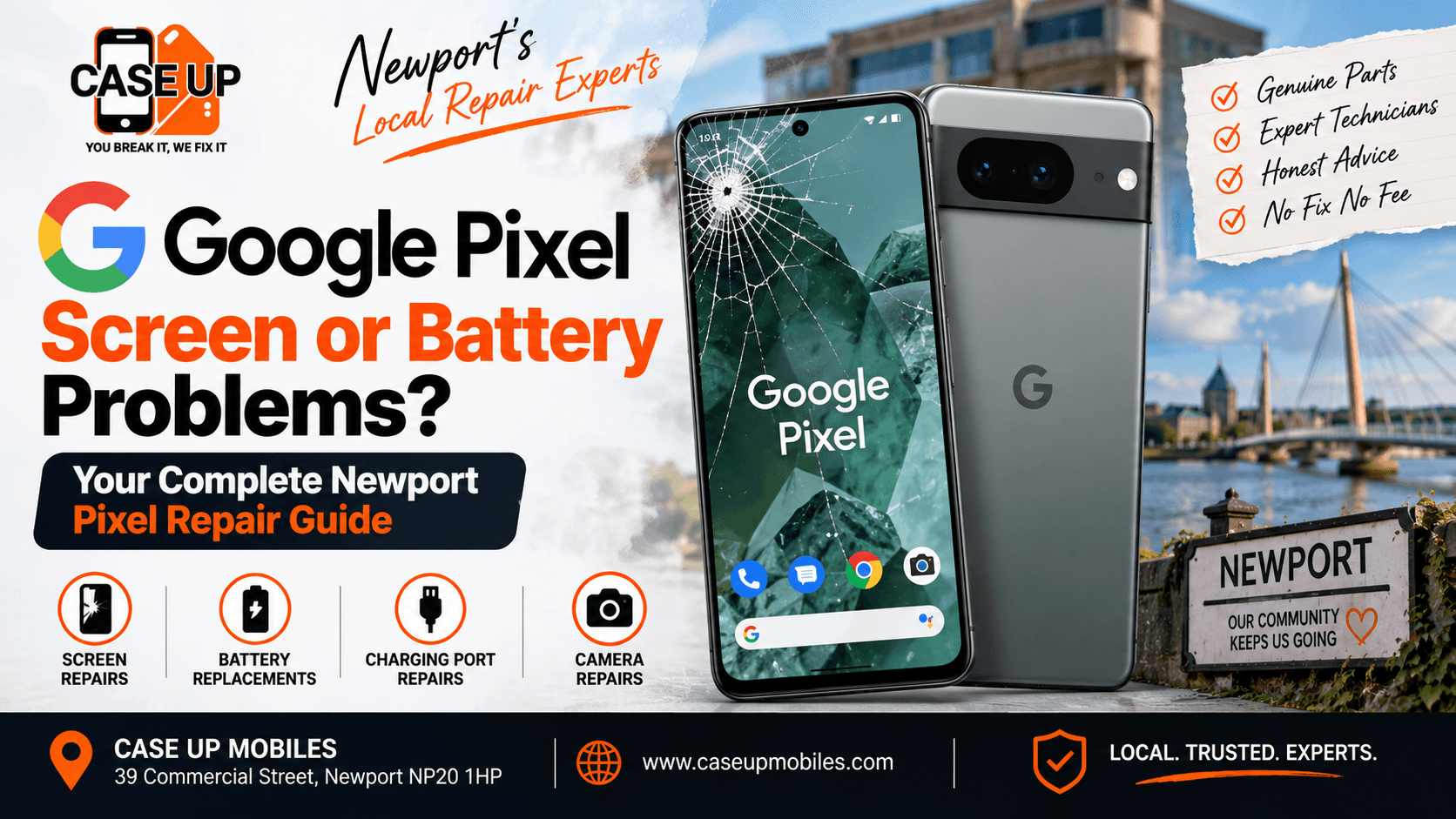
The Google Pixel has a small but loyal following in Newport. People who choose a Pixel usually do so on purpose: they want stock Android, they want the camera, and they want a phone that gets long-term security updates straight from Google. Then something goes wrong. The OLED display picks up a pink tint after a fall. The battery that once lasted a full day now needs a top-up by lunchtime. The USB-C port only accepts the cable at a specific angle.
At that point, most Pixel owners run into the same problem: fewer local shops advertise dedicated Pixel repair experience. Screens are ordered less frequently, batteries sit outside the mainstream inventory, and technicians who genuinely know the Pixel line are harder to find.
We repair Pixels every week at Case Up Mobiles. This guide is the honest breakdown of what typically goes wrong with them, how the fixes work, what to expect on cost and turnaround, and where DIY guides go wrong on this specific handset line. If you own a Pixel and it is showing signs of trouble, read this before you do anything else.
Why Google Pixel Repair Needs Specialist Experience
Pixels are not just "Android phones." They have a distinctive internal architecture and a set of failure modes that do not always match what a Samsung or a OnePlus technician expects.
Three things make Pixel repair its own discipline:
Google Tensor processor:- From the Pixel 6 onward, Google's own Tensor chip runs the show. It handles power differently from Snapdragon or Exynos parts, which changes the thermal behaviour, the battery drain patterns, and the way a bad battery symptoms show up.
OLED panels tuned specifically for Pixel:- The Pixel OLED displays use Google's colour tuning and calibration. Fitting a generic aftermarket panel produces washed-out colour, poor touch response, and often a permanent pink or green tint that never calibrates out. The correct panel grade genuinely matters.
The camera bar hardware on Pixel 6 and newer:- The horizontal camera bar houses multiple sensors, image processors, and cabling that runs across the back of the phone. Any repair that involves the rear glass or the camera assembly has to preserve that hardware carefully.
The practical upshot: a shop that repairs Samsung Galaxy and iPhone all day is not automatically set up to repair Pixels well. It takes knowing the models, sourcing the correct panels, and having the tools to preserve the camera bar and Tensor thermal path during the job. OurGoogle Pixel repair service in Newport is set up for exactly that.
Which Google Pixel Models Do We Repair?
Google has released a lot of Pixels in the last decade. Here is what we currently service at 39 Commercial Street:
- Pixel 6, 6 Pro, and 6a: the first Tensor generation, widely owned in Newport, and now hitting the point where batteries and charging ports commonly need attention.
- Pixel 7, 7 Pro, and 7a: slight refinements on the 6, similar internal layout, similar repair profile.
- Pixel 8, 8 Pro, and 8a: improved Tensor G3 chip, brighter OLED, tougher glass. Still develops the same USB-C port and battery drain issues.
- Pixel 9 and 9 Pro (including 9 Pro XL and 9 Pro Fold): the current widespread generation, with the new satellite messaging hardware and improved thermal management.
- Pixel Fold: the original folding Pixel, notable for its hinge complexity and dual-display setup.
- Older Pixels (Pixel 5 and earlier): still repairable, but the honest conversation is often about whether a repair is worth doing on a phone that is past its Google security update cutoff.
Whichever model you have, the diagnostic path is the same. Free diagnostic, honest quote, no fix no fee.
Common Google Pixel Screen Problems
Pixel screens fail in specific ways that match the OLED architecture. Here are the five patterns we see most.
The most common one. The phone hits a hard surface, the front glass spiderwebs, but the OLED underneath keeps lighting up and touch still responds. The phone is usable, but the crack is a safety and dust ingress problem, and the resale value has just fallen off a cliff.
The fix on older Pixels is sometimes glass-only replacement, where the outer layer is separated from the panel and a new glass fitted. On modern Pixels with fully laminated displays, the correct repair is a full display assembly swap. A shop offering a suspiciously cheap "Pixel screen fix" on a laminated model is usually replacing only the outer glass, which looks fine for a few weeks and then starts to fail as the delamination catches up.
This is a Pixel-specific failure signal. An OLED panel that has taken a knock, or a poorly fitted aftermarket screen, often shows a pink or green tint across the whole display or in patches. The tint is not fixable through software calibration. It means the panel itself is faulty.
If you see this on a Pixel that has just been repaired somewhere else, the shop fitted the wrong grade of panel. If you see it after a drop, the OLED substrate has been damaged and the display assembly needs replacing.
Small black spots appearing on the display, or vertical or horizontal lines of dead pixels, mean the OLED substrate has failed in that area. Sometimes this happens spontaneously as the panel ages. More often it follows a knock that did not crack the outer glass but damaged the display underneath.
Dead pixels do not repair themselves. The fix is a display assembly replacement.
Touch failures on a Pixel show up as dead zones (a strip of screen that does not respond), delayed touch (the cursor lags behind your finger by half a second), or ghost taps (the phone registers inputs where you are not touching).
Ghost taps and dead zones are almost always the digitiser, which sits underneath the outer glass and above the OLED. Delayed touch response can also be software-related, so we always run through a factory reset test before committing to a hardware fix.
A Pixel display that flickers, particularly at low brightness, is usually one of three things: a failing display driver on the logic board, a loose display flex cable, or an OLED panel that is starting to degrade. The diagnosis has to happen with the phone open on the bench, where we can flex the ribbon cable and watch the flicker response.
The "black screen of death" on a Pixel is a common enough symptom to have its own troubleshooting flow. The phone appears dead: no response to power, no boot animation, no charging light. Causes range from a completely discharged battery, to a display failure, to a logic board fault.
Before assuming the phone is finished, plug in a known-good charger and wait a full 30 minutes untouched. Then try a forced restart (hold Power and Volume Down together for 30 seconds). If neither works, the phone needs a diagnostic. Nine times out of ten, the fault is recoverable.
Common Google Pixel Battery Problems
Pixel batteries have their own personality, and their failure patterns are worth knowing.
This is a well-documented Pixel behaviour. A monthly security patch or a major Android version bump occasionally introduces background processes that drain the battery aggressively for a few days. The phone runs hot, the battery falls faster than usual, and the user assumes the battery has died.
Before booking a battery replacement, check for any recent update, then check for battery-hungry apps in Settings > Battery > Battery usage by app. If the drain started right after an update and one app is responsible, an app update or reinstall often solves it. If the drain persists across a couple of weeks with no clear app cause, the battery may genuinely be at the end of its life.
A healthy Pixel battery loses percentage slowly and predictably. A rapid drop from 100% to 80% within an hour of ordinary use, without heavy gaming or navigation, is a signal that the battery capacity has degraded significantly. This is the same signal iPhone users learn to spot, and we covered the full symptom checklist in our post oniPhone battery draining fast and the signs it needs replacement, which applies directly to Pixel diagnosis too.
A degraded lithium-ion battery can no longer supply the peak current the processor demands, and the phone protects itself by shutting down early rather than causing a hard fault. The battery indicator says 30% or 20%, and the phone just switches off.
This is a definitive replacement signal. Battery swap fixes it every time on a Pixel with an otherwise healthy logic board.
A battery that has physically expanded is a fire risk. Signs of swelling include the back glass or the display starting to lift, gaps appearing around the frame, or the phone rocking slightly when placed flat on a table.
Do not use, do not charge, and bring the phone in for immediate attention. Swollen batteries are a same-day priority job at our shop because the risk grows with every hour of continued use.
A hot Pixel while charging is not always a fault. Fast charging generates heat by nature. But a phone that gets uncomfortably hot even when charging slowly, or continues heating up long after the charge cycle completes, is signalling either a failing battery, a failing charging IC, or a runaway background process.
The diagnostic is important because these three causes have different fixes. Do not assume "hot battery = replace battery" without a check.
Google Pixel USB-C Charging Port Problems
Pixel phones from the Pixel 6 onward have a documented tendency toward USB-C port issues after 18 to 24 months of daily use. The port itself is well-made, but the flex cable that anchors it to the logic board flexes with every insertion, and over time develops microfractures in the copper traces.
Symptoms of a Pixel charging port on its way out:
- Cable only sits securely at a specific angle
- Charging cuts in and out during use
- Slow charging even with the correct cable and adapter
- The phone shows the charging icon intermittently
The proper fix is a port and flex assembly replacement. Same-day repair at our Newport workshop for most Pixel models.
The full symptom breakdown for charging faults across phones and laptops, including the safe cleaning method that resolves surprisingly many cases, is set out in ourcommon charging faults guide for Newport. Run through the cable, adapter, and cleaning checks in that guide before booking a repair.
Pixel Screen Quality: OEM, Pulled, and Aftermarket Panels
Not all Pixel replacement panels are equal. Here is the honest tier map:
Google OEM panels:- Genuine Google parts, highest quality, most expensive. Available through Google's own repair channel and select authorised partners.
Grade-A pulled panels:- Genuine Google OLEDs recovered from trade-in devices, then quality-checked. Excellent quality if the grading process is honest. What most reputable independent repair shops use as their standard fit.
High-grade aftermarket OLED:- Manufactured by third parties to Google specification. Quality varies dramatically between suppliers. A good shop knows which supplier batches are trustworthy from experience.
Low-grade aftermarket:- Cheaply made panels sold on marketplace listings. Common on repair kits and low-cost repair shops. Symptoms show up within weeks: colour drift, poor touch, brightness inconsistencies, permanent tint.
LCD sold as OLED:- The worst category. Cheap LCD panels fitted into what should be an OLED phone. The image is instantly wrong: washed-out colour, no true black, bad viewing angles. Insulting fit for a Pixel.
We only fit panels at Grade-A pulled or verified high-grade aftermarket level. It is the reason our repairs hold up, and it is the reason we can honour our 90-day warranty on parts and labour. The context of why part grade matters across all our repairs is covered on ourwhy Newport locals choose Case Up Mobiles.
Google Pixel Repair Costs in Newport
Starting prices at Case Up Mobiles, confirmed after a free in-person diagnostic:
- Pixel screen repair from £99 depending on the specific model. Pixel Pro and XL models with larger OLED panels are at the higher end of the range.
- Pixel battery replacement from £45 depending on model and generation.
- Pixel USB-C charging port replacement from £45, most models.
- Water damage assessment quoted case-by-case after a free diagnostic.
- Rear glass replacement quoted per model.
Every quote is fitted, not "parts only." That means the price you see includes labour, adhesive, and calibration.
For a broader picture of screen repair pricing across all major brands including how Pixel compares to iPhone and Samsung, ourNewport phone screen repair cost guide for 2026 sets out each model tier honestly.
How Long Does a Google Pixel Repair Take?
Same-day turnaround is standard for the common Pixel jobs. Realistic time estimates:
- Free diagnostic: 15 to 30 minutes on arrival
- Screen replacement: 1 to 2 hours for most models, longer for Pixel Pro laminated displays
- Battery replacement: 1 to 2 hours
- Charging port replacement: 2 to 3 hours due to the internal disassembly required
- Rear glass replacement: 2 to 4 hours depending on model
- Camera repair: 1 to 3 hours depending on which sensor
- Board-level repair or water damage recovery: 2 to 7 days depending on scope
The reason these are ranges rather than fixed numbers is that Pixel diagnostics sometimes uncover a secondary fault that changes the job. If we open a Pixel to swap a battery and find the display flex cable has been damaged in a previous repair attempt, we call you before proceeding rather than just doing the extra work.
Our Google Pixel Repair Process
When a Pixel comes in, the workflow runs like this:
1. Free diagnostic: No commitment, no charge. The technician confirms the fault, checks the model, and inspects for any secondary issues.
2. Model-specific quote: Pixel 6a and Pixel 9 Pro XL are very different repair jobs. The quote reflects your exact model, not a generic price.
3. Confirmation before any work: You approve the quote before we touch the phone. If you decide against the repair, there is no charge and no pressure.
4. Correct-grade parts fitted: Screens, batteries, and ports at the correct grade for a Pixel, sourced from vetted suppliers.
5. Post-repair test: Touch grid check, display uniformity check, camera test, battery test, charging test. Every function verified before you collect the phone.
6. 90-day warranty on parts and labour: If the fault recurs within the warranty window, we fix it again at no cost.
Protecting Your Data Before a Pixel Repair
Your data stays on your device throughout the repair. We do not power on the phone unnecessarily, we do not access your storage, and we never perform a factory reset without explicit written consent from you.
That said, a phone repair is always the right moment to make sure your backups are current. On a Pixel, that means:
1. Confirm Google account backup is active in Settings > System > Backup
2. Confirm Google Photos is set to back up
3. Note down anything not stored in the Google account (rare, but check)
4. Have your passcode written down for post-repair testing
Fingerprint recognition sometimes needs to be re-registered after a display replacement because the under-display sensor is calibrated to the specific OLED assembly. This takes 30 seconds in Settings and is included in our post-repair handover.
When Is a Pixel Not Worth Repairing?
We turn Pixels down for repair when the honest answer is "this phone is done." Situations where we would tell you to trade it in and move on:
- Pixel 5 or older: Google's security update window has ended, and any repair is a short-term investment on a phone that is now out of support.
- Multiple failing subsystems: Cracked screen plus tired battery plus wobbly port plus dodgy Wi-Fi is a device signalling the end of its useful life.
- Repair cost above 60% of resale value: The 50% rule has some flex, but if a £150 screen fix is going on a phone worth £180, the maths does not work.
- Water damage recovered too late: Corrosion is progressive. If the damage happened months ago and the phone has been misbehaving intermittently, a spot fix does not stop the underlying corrosion.
For Samsung Galaxy owners considering the same question, ourSamsung Galaxy repair service covers similar honest-advice logic for the Android competition.
Google Pixel Water Damage
If your Pixel has been in contact with liquid, do not wait. Corrosion inside a phone works fast. Ourwater damage repair service in Newport handles Pixel recovery with the same board-cleaning process we use for iPhone and Galaxy water damage.
Frequently Asked Questions About Google Pixel Repair
How much does a Google Pixel screen repair cost in Newport?
Starting from £99 for most Pixel models. Pixel Pro and XL variants with larger laminated OLED displays are at the higher end of the range. Every quote is confirmed in person after a free diagnostic. No fix, no fee.
Will I have to send my Pixel away for repair?
Not at our shop. Because we hold Pixel-grade OLED panels, batteries, and USB-C port assemblies for the popular models in stock, most Pixel screen and battery jobs are same-day. Parts for niche models or Pixel Fold hinges sometimes take a day or two to arrive.
Will the fingerprint sensor still work after screen replacement?
Some fingerprint recognition needs to be re-registered after a Pixel display replacement, because the sensor is calibrated to the specific panel. Re-registering takes about 30 seconds and is included in our post-repair handover.
Will a Pixel battery replacement erase my data?
Yes. A properly performed battery replacement does not touch your storage or force a factory reset. Your Google account, photos, apps, and settings are preserved.
Is it safe to keep using a Pixel with a swollen battery?
No. A swollen lithium-ion battery is a fire risk. Do not charge the phone, do not press on the back or the display, and bring it in for immediate replacement. This is a same-day priority job.
Is a Pixel that will not power on beyond repair?
Probably not. A Pixel that will not power on has several possible causes: discharged battery, failed charging port, failed battery, or a board-level fault. Try a known-good charger for 30 minutes untouched, then a forced restart (Power and Volume Down for 30 seconds). If nothing changes, bring it in for a free diagnostic.
Book Your Google Pixel Repair in Newport
If your Pixel is cracked, draining fast, refusing to charge, or showing a screen you no longer trust, walk into Case Up Mobiles at 39 Commercial Street, Newport, NP20 1HP. Free diagnostic, honest quote, no fix no fee, and a 90-day warranty on all parts and labour.
Backed by a 4.7-star rating from over 300 Google reviews and 1,000+ satisfied Newport customers. Same-day turnaround on most Pixel screen, battery, and charging port repairs.