
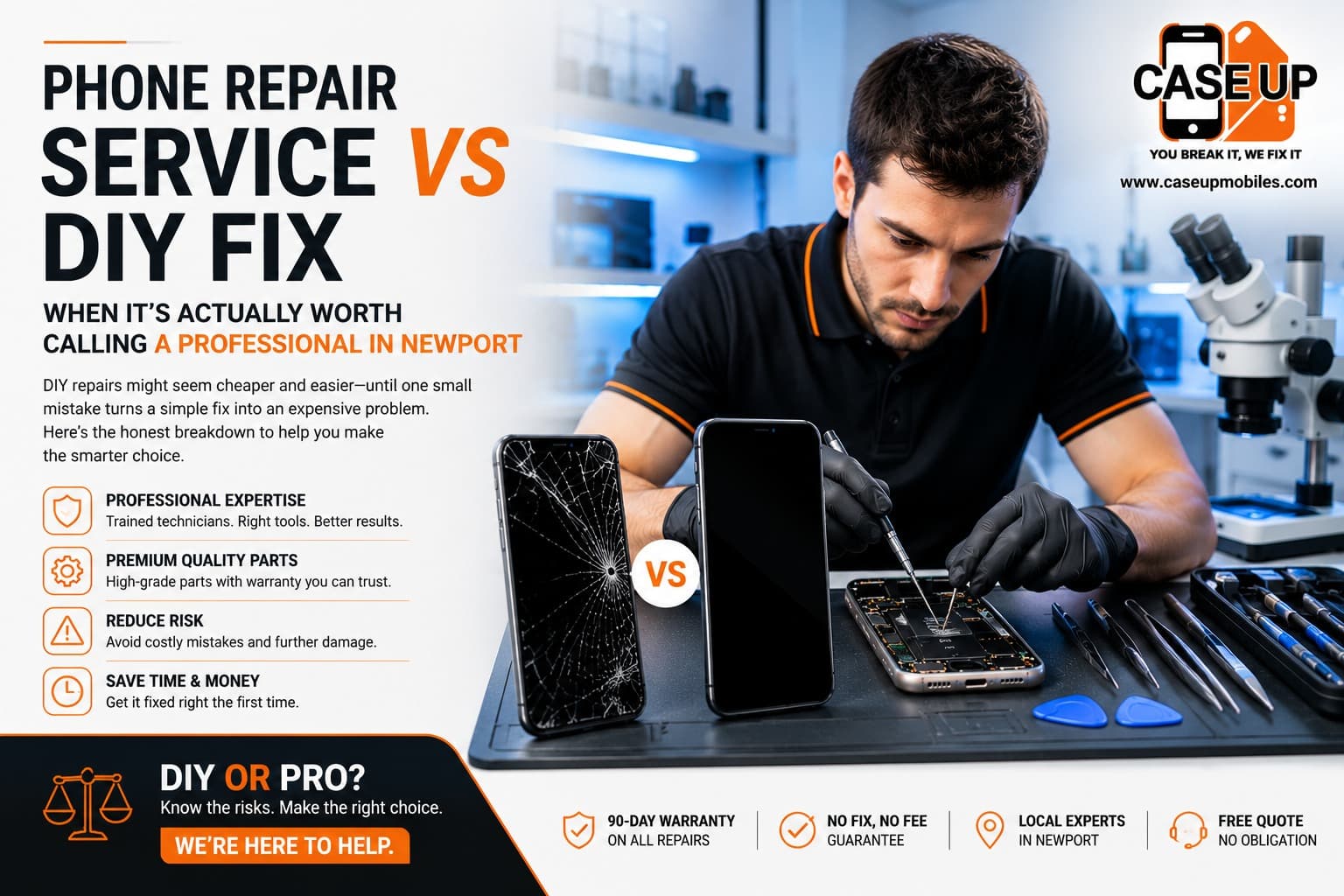
There is a video on YouTube for almost every phone repair you can imagine. Replace a battery, swap a screen, fix a wobbly USB-C port, even reflow a motherboard chip. Watch enough of them and it starts to feel manageable. A tenner for the part, an afternoon of your time, done.
Then reality hits. You get the back panel off, the ribbon cable tears, the display flickers, or worse, the phone stops turning on entirely.
We see the aftermath of DIY phone repairs at our Newport shop almost every week. Some jobs come in twice as expensive as they would have been if the customer had walked in first. Others are unrecoverable, and we have to tell them their phone is now a paperweight. That is a hard conversation.
This guide is not a sales pitch. It is an honest breakdown of what DIY phone repair actually involves, where it genuinely works, and the exact points where calling a professional phone repair service saves your device, your data, and often your money too.
If you want the short version: DIY is fine for a handful of low-risk swaps on older phones you own outright. For everything else, especially anything under warranty, anything with a battery inside, or anything you rely on daily, the maths favours the professional every time.
The Real Question Is Not "Can I Do It", It Is "What Happens If I Get It Wrong"
Most DIY guides frame the choice as skill versus laziness. That framing misses the actual risk. Modern smartphones are engineered as sealed units where every internal component depends on the ones around it. Adhesive holds the display against the frame to preserve water resistance. Tiny copper ribbon cables carry signal from the display, digitiser, front camera, ambient light sensor, and Face ID assembly. A single stray screwdriver slip severs one of those and you have created a second, more expensive fault on top of the one you were trying to fix.
The right question before any DIY attempt is not "am I capable of following the steps." It is "what is the worst case if I get one of these steps wrong." If the answer is "I have permanently killed a device I need for work, banking, and daily life," you should call a repair shop.
Professional repair is not about the physical steps being harder. It is about the technician having done that exact repair fifty or a hundred times before, on a workbench designed for it, with parts that are known to work. That reduces the worst case dramatically.
What DIY Repair Kits Actually Contain (And What They Do Not Tell You)
A typical DIY phone screen kit from an online marketplace contains:
A replacement display assembly (usually LCD, sometimes labelled OLED regardless of the true panel type)
A small suction cup
A plastic pick or two
A pentalobe screwdriver and a Phillips screwdriver
A strip of adhesive
A spudger or plastic prying tool
For the £20 to £40 price tag, that looks generous. What the kit does not tell you is what it lacks:
Heat. Most modern phones use adhesive that softens with controlled heat, applied by an iOpener or a purpose-built heating mat. Prying a cold display with a plastic pick will crack the glass on the panel you have just paid for, and often the frame beneath.
Suction under vacuum. Professional workshops use a proper vacuum lifter that pulls the display off in a controlled straight lift. A basic suction cup on a curved edge, gripped by a thumb and finger, is nowhere near consistent enough.
ESD protection. Electrostatic discharge from your fingertip can quietly kill a component without you knowing. A workshop bench has grounded mats, wrist straps, and a controlled humidity range.
Torque-specified screwdrivers. Modern phones use screws so small that overtightening on the wrong length will punch straight through a bracket into a logic board.
Calibration hardware. True Tone, Face ID, ambient light, and 3D Touch on some models all rely on a chip pairing between the display and the logic board. Without a programmer to re-pair those chips to the new panel, features stop working or throw error messages even after a "successful" screen swap.
The kit gets you the parts. It does not get you the environment or the training. That gap is where DIY jobs go wrong.
The 5 Most Common DIY Phone Repair Mistakes We See In Newport
These are the failures that walk into our shop at 39 Commercial Street on a weekly basis. Read them not as scare stories but as pattern recognition. If any of them sound like territory you would be moving into, that is the moment to stop.
Mistake 1: Turning a Cracked Screen Into a Dead Screen
A shattered outer glass panel is often cosmetic. The display underneath still lights up, the touch still responds, and the phone is usable. A rushed DIY replacement is where things escalate.
The most common escalation looks like this. The customer removes the old screen without disconnecting the battery first. When the display flex cable is disturbed while power is live, a small short blows a fuse on the logic board. Now the phone will not turn on at all. What was a £30 cosmetic issue becomes a board-level repair.
The second escalation is the ribbon cable tear. Modern phones route display ribbon under a metal shield. Lifting the panel without releasing the shield first pulls that ribbon and rips the traces. The display is dead. Sometimes the digitiser goes with it.
Mistake 2: Voiding the IP68 Water Resistance Rating
Almost every flagship phone from the last five years carries an IP67 or IP68 water resistance rating. That rating relies on the factory adhesive seal around the display, the port gaskets, and the pressure-tested assembly.
Once you remove the display, that seal is broken. Restoring it takes purpose-made adhesive strips cut to model, applied cleanly, and pressed under a jig. Most DIY jobs skip that step entirely, or use a generic strip of double-sided tape.
The phone will look fine. It will feel fine. The next time you get caught in Newport rain, or you drop it in the kitchen sink, water will find its way in through the compromised seal. Water damage to a modern phone is often not immediately catastrophic. Corrosion builds over days and weeks. By the time the microphone stops working or the charging port throws a "liquid detected" warning, the damage is already done.
If your device does get exposed to water at any point after a repair, the fastest response window matters. Our guide on what to do if your phone has been dropped in water in Newport walks through the first steps that actually help.
Mistake 3: Wiping Data During a Battery Swap
Battery replacement looks like the safest DIY job on paper. Two adhesive strips, one battery, done. In practice, batteries are one of the highest-risk internal repairs.
A DIY battery job goes wrong in three main ways. The first is puncture. Pulling the old battery with a metal spudger instead of the pull-tabs punctures the pouch cell, causes a thermal event, and in the worst cases, catches fire. The second is short circuit. Not disconnecting the battery flex before working around it will fry components. The third is data loss, which happens when the phone gets stuck in a boot loop from a botched job and the owner has no recent backup.
For iPhones specifically, the earliest sign that a battery is on its way out is a rapid drop from 100% to 80% within an hour or a sudden shutdown at 30% battery. We covered the full symptom list in our post on iPhone battery draining fast and the signs you need a replacement. Reading that first is a safer starting point than opening the case.
Mistake 4: Damaging the Display Cable During Teardown
Every ribbon cable inside a phone has a limited number of flex cycles. Bend it too tightly, pinch it under a bracket, or catch it with a tweezer, and the traces inside the cable break invisibly. The phone may boot but you will see intermittent touch failure, colour banding, or a permanent flicker at the top of the screen.
This is often the fault that finally makes DIYers give up and bring the phone in. We open it up and find bent brackets, tape adhesive stuck across contacts, and a display ribbon crimped where it should sit flat. Each of those adds cost to the eventual professional repair.
Mistake 5: Chasing "Cheap" Parts and Installing Knock-off Screens
There is a large secondary market of ultra-cheap replacement screens. They cost a fraction of an OEM panel. They also, in almost every case, fall into one of these categories:
LCD panels sold as OLED for phones that originally shipped with OLED
Refurbished panels with hairline cracks refilled with resin
Panels harvested from stolen or scrapped devices
Aftermarket panels missing the True Tone, Face ID, or auto-brightness chip pairings
The visible symptoms are washed-out colour, poor touch sensitivity, ghosting at the edges, and a display that noticeably degrades within weeks. The invisible symptoms are worse. Some aftermarket panels draw more current than the phone expects, which shortens battery life and, in rare cases, damages the display driver on the logic board.
Our Newport phone screen repair price guide for 2026 sets out the real cost difference between OEM-grade replacements and the low-end aftermarket parts, and why a professional shop refuses to fit the latter.
The Tools Problem: Why a £15 Kit Is Not Enough
A workshop bench for smartphone repair is not just about having the right screwdrivers. The kit list looks something like this:
A controlled heat source (heated mat, not a hairdryer)
Vacuum lifter with adjustable suction pressure
ESD-safe mat, wrist strap, and grounded soldering station
Magnification (a stereo microscope or a good digital scope)
Torque-specified precision screwdrivers, model-specific bit sets
Adhesive kits cut to phone model, not generic strips
A programmer for chip pairing (Face ID, True Tone, battery health)
A logic-board tester for post-repair diagnostics
The total equipment cost of a properly kitted-out repair bench runs into thousands of pounds. That is why professional repair exists as a business. The tool cost is spread over hundreds of repairs per year.
A DIY kit that costs £15 to £40 provides the two or three most visible tools. The rest of the workshop is invisible in a YouTube video, which is where the illusion of accessibility comes from.
The Parts Problem: OEM, Aftermarket, Refurbished, and Grade Explained
Phone parts fall into a few grades:
Original manufacturer parts. Genuine OEM parts from Apple, Samsung, or Google. Highest quality, most expensive. Only available to authorised service providers under specific programmes.
OEM equivalent, sometimes called "pulled" or "grade A." Original parts salvaged from other units of the same model, often trade-in devices. High quality if properly graded. What most reputable independent repair shops in the UK use.
High-grade aftermarket. Manufactured to OEM specification by third parties. Quality varies widely between suppliers.
Low-grade aftermarket. Cheaply manufactured, often with visible quality issues. Common on marketplace listings, often uncertified.
Refurbished, mixed provenance. Parts refilled, retouched, or rebuilt from multiple sources. Should be avoided outside of clear disclosure.
The average DIY buyer, ordering online, has almost no way to verify which grade they are receiving. Two listings at similar prices can supply wildly different quality. A professional workshop has vetted supplier relationships built over years, which is invisible from the outside but critical to the repair outcome.
When DIY Is Genuinely Fine (And How to Do It Safely)
Not every phone job needs a professional. Here is the honest list of DIY-friendly work:
Cleaning your charging port. Lint, pocket fluff, and grit accumulate in Lightning and USB-C ports. Use a wooden toothpick (never metal) and gently sweep the debris out. Do not blast with compressed air, which can drive lint deeper.
Fitting a screen protector. A tempered glass protector, applied with the alignment tray that comes in the box, is trivial and prevents most cracks from becoming your problem in the first place.
Fitting a case. Same logic. Half of the DIY repairs we see would not have been needed if the phone had been in a proper case with a raised edge above the screen.
Rebooting to clear software glitches. A forced restart resolves an enormous number of "the touch stopped working" or "the phone froze" calls. Try it before assuming the hardware is at fault.
Basic battery saving. Reducing brightness, closing background apps, and turning off battery-hungry features (like always-on display) extends the life of a healthy battery.
Backing up your data. Regardless of whether you repair or replace, do this now. iCloud on iPhone, Google account on Android. It is free and takes minutes.
None of the above requires opening the phone. If the job requires prying, unscrewing, or removing a back panel, that is where the risk profile changes.
When You Should Absolutely Call a Professional Phone Repair Service
Some jobs are not "high risk" for DIY. They are "unrecoverable if wrong." Here is the list:
Screen replacement on a phone with Face ID or under-display fingerprint. These features rely on paired hardware. Swapping the screen without the correct pairing tools disables them permanently.
Battery replacement on any phone under IP68. Once you break the water resistance seal, it will not come back without the correct adhesive kit.
Charging port replacement. Modern USB-C ports are soldered directly to the logic board or connected via flex cables that are trivial to tear.
Water damage recovery. By the time you can see corrosion, the board needs cleaning under microscope with ultrasonic tanks and isopropyl alcohol. DIY makes it worse in almost every case. Our dedicated water damage repair service covers exactly what a proper recovery involves.
Anything on a phone still under warranty. Manufacturer warranty is voided the moment an unauthorised repair takes place, regardless of whether the repair caused the fault. If your phone is under warranty, contact the manufacturer or an authorised repair centre first.
Anything on a business phone or a phone with data you have not backed up. The professional route protects your data. A shop technician will not intentionally wipe your device.
Anything logic board related. Motherboard repairs need microsoldering, schematics, and multimeter diagnosis. This is not a DIY category at all.
For iPhones specifically, the safest path is a workshop that specialises in the platform. Our iPhone repair service covers screens, batteries, ports, cameras, and board-level work with a 90-day warranty on parts and labour.
For Samsung Galaxy devices, the same principle applies. Our Samsung Galaxy repair service uses the correct Samsung-grade OLED and AMOLED panels, since anything cheaper on a Galaxy screen shows itself within days.
Comparing Real Costs: What DIY Actually Adds Up To When Things Go Wrong
Here is a rough cost breakdown of a common scenario. Take a Samsung Galaxy with a cracked front glass, phone still working.
DIY route, ideal case:
Replacement panel (aftermarket): £45
Tool kit: £20
Adhesive: £5
Your time (three to four hours): notional
Total: around £70, assuming nothing goes wrong.
DIY route, common case:
Replacement panel (aftermarket): £45
Tool kit: £20
Cracked panel on install: replace again, £45
Frame damage during prying: cosmetic bracket bend, unfixable at home
Water resistance rating lost: hidden future cost
Face unlock or fingerprint stops working: hidden future cost
Total: £110+ plus a permanently degraded device.
Professional route:
Diagnostic: free
Samsung screen repair starting at £45 fitted, using correct-grade panel
Adhesive seal preserved
90-day warranty on parts and labour
Repair done same day in most cases
The gap between the ideal DIY case and the professional route is often only £20 or £30, and the risk sits entirely on your side. That is why for most people the maths favours walking into a Newport repair shop.
For Samsung specifically, if the panel is beyond glass-only, our detailed cost breakdown in the cracked Samsung Galaxy screen repair cost guide for Newport covers each model tier honestly.
Data Safety: What a Repair Shop Protects That a YouTube Tutorial Will Not
A professional repair workshop treats your data like a bank vault. In practice, that means:
The device is powered off, or in a controlled state, throughout the repair
The technician does not touch your storage
A forced factory reset is never performed without explicit customer consent, in writing
Face ID, fingerprint, and passcodes are preserved
The repair does not require your unlock code in most cases
A DIY job that ends in a boot loop or an unresponsive device puts your data at risk in ways most people do not appreciate until it happens. Photos, messages, banking apps, work email, saved passwords: all of it depends on your device booting cleanly after the repair.
If your data is not backed up, that alone is a reason to hand the job to a professional. If your data is backed up and you are willing to accept the risk of a full reset, the calculus shifts slightly. Even then, we would recommend the professional route for anything more involved than the DIY-safe list above.
Laptops and MacBooks: A Different Kind of Risk
Everything in this guide applies to smartphones. It applies double to laptops and MacBooks. Laptop repair looks easier because the internals are larger and there is more room to work. It is not easier. The failure modes are different but no less severe.
A stripped screw thread inside a MacBook chassis is unfixable at home. A pinched keyboard ribbon can require a full top-case swap. Battery replacement on modern MacBooks involves prying a glued-in pack from an aluminium unibody, and one slip punctures the cell. Windows laptops with soldered RAM, integrated SSDs, and proprietary connectors are just as unforgiving.
If your laptop is running slow, overheating, or has a screen fault, we have covered the diagnostic path in detail on our Newport laptop repair service page, which sets out what a proper laptop repair job involves and why the tools and workspace matter even more than they do on phones.
What a Proper Newport Repair Shop Does That Changes the Maths
The value of a professional repair service is not just the repair itself. It is everything around it:
Free diagnostic, so you know the actual fault before you commit to spend
Transparent quote before any work begins
No fix, no fee guarantee, so a diagnostic that ends in "not economical to repair" costs you nothing
90-day warranty on parts and labour, covering the fault the repair addressed
Correct-grade parts, sourced from vetted suppliers
The right workshop environment: heat, vacuum, ESD, magnification, calibration
Repair completed same day for most common jobs
Your data preserved throughout
That combination is what makes the professional route almost always the better maths, even when the DIY quote looks cheaper on paper. The full picture of why Newport locals choose us over the alternatives is set out on our Case Up Mobiles trust page, which covers the specific customer stories and repair numbers behind those claims.
Frequently Asked Questions
Will DIY repair void my phone warranty?
Yes, in almost every case. Manufacturer warranty terms explicitly void coverage once an unauthorised repair takes place. This applies even if the DIY attempt did not cause the fault. If your phone is still under manufacturer warranty, contact them or an authorised service partner first.
Can I fix a cracked screen at home if the touch still works?
You can attempt it, but the risks in the section above (broken IP rating, disabled Face ID, poor colour, escalated damage) all apply. For any phone from the last five years with a curved or edge-to-edge display, the professional route is almost always the safer maths.
Is DIY battery replacement dangerous?
It can be. Lithium-ion pouch cells release energy rapidly if punctured. A DIY battery job with the wrong tools, or a battery ordered from a low-grade supplier, is a real fire risk. This is one job we strongly recommend leaving to a workshop.
Are aftermarket replacement parts as good as OEM?
Some are, most are not. The market is unregulated and the labelling is inconsistent. A reputable workshop knows which supplier grades to trust from experience. A DIY buyer does not have that visibility.
How long does a professional phone repair usually take?
For common screen and battery jobs at Case Up Mobiles, same-day is standard. Most jobs are completed within one to two hours once the diagnostic is done. Board-level repairs take longer.
Book Your Free Diagnostic Quote
If you are already looking at a broken phone and weighing up whether to try a DIY fix, the smartest move is a free diagnostic first. That way, you know exactly what the fault is, what the professional repair would cost, and how it compares against the DIY risk. From there, the decision is genuinely yours.
Case Up Mobiles is at 39 Commercial Street in Newport, NP20 1HP. We repair iPhones, Samsungs, Google Pixels, iPads, laptops, MacBooks, and game consoles, with same-day turnaround on most common repairs. Free quote before any work begins, no fix no fee, and a 90-day warranty on all parts and labour.
You can book your free repair quote online in about a minute, or walk in during shop hours. Either way, you leave with an honest answer.