
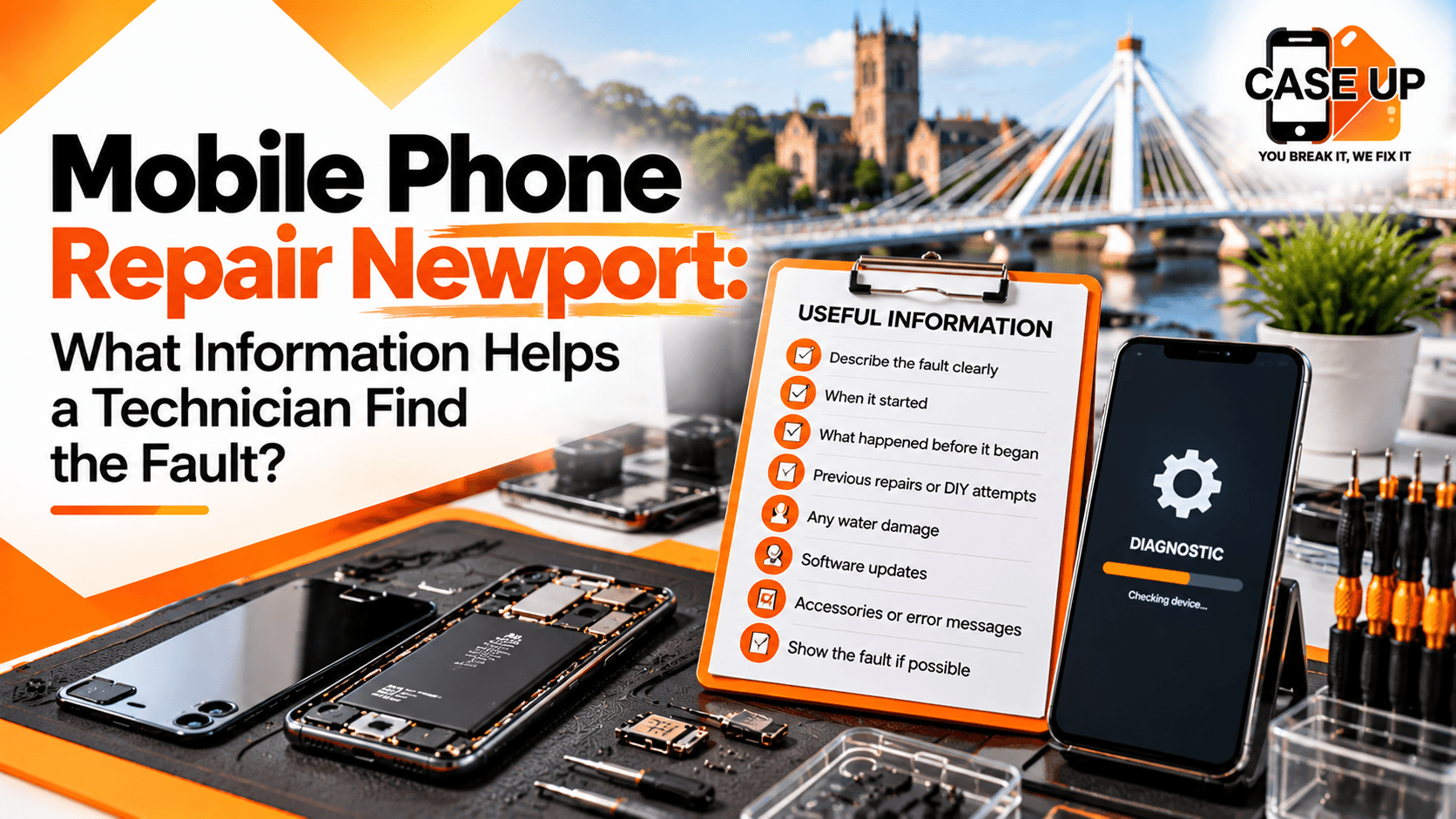
A repair technician works like a detective. The device cannot explain what is wrong, so the story has to come from somewhere else. That somewhere is you. A customer who arrives with a clear, honest account of what happened and what the phone is doing now can save a technician half an hour of guesswork and themselves a lot of waiting around. This guide covers exactly what information helps during a mobile phone repair Newport appointment, so your visit to Case Up Mobiles on 39 Commercial Street ends with the right fix at the right price.
You do not need technical knowledge to be useful at the counter. You just need a clear memory of the device's recent history and a willingness to answer a few practical questions. The sections below walk through what matters, what to leave in, and what often gets forgotten.
Why Your Input Shapes the Diagnosis
Many phone faults look similar on the outside. A phone that will not turn on may have a dead battery, a damaged charging port, a bad power button, a software crash, or a logic board problem. Each of those has a different repair route and a different cost. A rushed assumption at the start of the diagnostic sends the whole process down the wrong path.
Your account gives the technician a shortcut. If you can describe when the fault appeared, what you were doing at the time, and how it has behaved since, the possible causes narrow quickly. A proper phone fault diagnosis still involves hardware and software checks, but your information decides which checks come first.
The result is:
Faster diagnosis, with less time spent on the wrong track.
A more accurate quote, because the real cause is identified sooner.
A better chance of a same-day repair.
Lower risk of a return visit for an issue missed during the first assessment.
A trustworthy local phone repair shop will always ask these questions. Being ready with the answers makes everything smoother.
Describe the Fault in Your Own Words
The first and most useful thing you can share is a plain description of what the phone is doing. You do not need to diagnose the fault yourself. In fact, trying to can occasionally mislead the technician if you have landed on the wrong theory. Just describe what you see, what you hear, and what you cannot do.
Useful descriptions sound like:
"The screen flickers for about ten seconds every time I turn on the torch."
"The phone rings normally, but when I pick up, the caller cannot hear me."
"It charges only when I hold the cable in at a specific angle."
"The lower third of the screen stopped responding to touch yesterday."
"The front camera shows a dark spot that was not there last week."
Short, specific, and based on what you can see. Avoid "it is just not working properly" if you can help it. Those four words sit at the top of our mental list of hardest statements to work with, because they could describe a hundred different faults.
Show the Fault If You Can
If the phone still powers on, show the technician what the problem looks like. Many faults are intermittent, and reproducing them on the bench is harder than reproducing them while you are standing with the device in hand. A short demonstration can save ten minutes of back and forth. If the fault only appears under certain conditions (hot weather, after an hour of use, while charging), tell us.
If the phone will not power on at all, do not worry. We have other ways to work out what is happening, but your account of the last time it worked still matters.
Share the Device's Full Repair History
If your phone has been repaired before, by us or anyone else, say so. Previous repair work can affect new faults in ways that are not always obvious from the outside. A battery replaced six months ago may be the reason a charging port is now behaving oddly. A screen replaced two years ago may have left a thin seal that is now letting dust in.
Information to share:
Any repair carried out by another shop, including the type of fix and roughly when.
Any DIY repair attempts, even if they were not completed.
Any part replacements that were made under warranty.
Any dropped tools, screws, or missing fasteners from a previous repair.
Any time the device has been opened for cleaning or inspection.
There is no judgement in sharing this history. We work with phones that have been through other shops, past owners, and well-meaning home efforts. The more we know about what has been done before, the better we can plan the current repair.
Why DIY Attempts Matter
Phones are not simple to open. A home repair that stopped halfway may have left a connector not fully seated, a flex cable slightly torn, or an adhesive seal weakened. Those things can produce new faults weeks after the original attempt. If you have opened the device yourself, even if it looked fine when you closed it, tell us. We will check for these specific issues as part of the diagnostic.
Explain Any Recent Incidents
Drops and spills are the two most common causes of sudden phone faults, and both leave traces inside the device that may not be visible from the outside. Even a minor incident can shift components enough to produce a fault later.
Information to share:
Whether the phone has been dropped recently, and from roughly what height.
Whether it was dropped onto a hard or soft surface.
Whether it hit any part first (corner, face, back).
Whether the device has been exposed to water, rain, drinks, pool water, or sea water.
Whether anything has been spilled on it while it was on charge.
Whether the phone has been through a washing machine or a sink.
Whether it has been left in heat or cold (a hot car, overnight outdoors).
Even if the incident happened weeks ago, mention it. Delayed symptoms are common, especially with liquid exposure. A phone that seemed fine after a splash can develop charging or signal issues weeks later as corrosion spreads.
Our dedicated water damage recovery service treats any confirmed or suspected liquid exposure as a priority case. The earlier we see the device, the better the outcome.
Note Any Error Messages
Error messages are precise clues. If a message has appeared on screen, write it down or take a photo of it before you come in. If the phone displays a code, note the exact number. Some common examples:
"No SIM" or "Invalid SIM" messages.
"Unable to activate" after an update.
Specific iOS or Android error codes, often numeric.
"Battery service needed" or similar warnings on iPhone.
"Moisture detected" warnings on Samsung and other Android handsets.
Blue, black, or coloured screen messages on laptops that behave similarly.
Error messages help a technician narrow the search in minutes. A "Moisture detected" warning changes the diagnostic path immediately. A specific activation error points to account or software causes rather than hardware.
If you cannot read the message or did not get a chance to screenshot it, do not worry. Just mention it existed and describe what it looked like.
Describe When the Problem Started
Timing matters. A fault that appeared the morning after a drop is different from one that developed over months. A fault that started minutes after an iOS update is different from one that followed a battery replacement. Giving the technician a timeline helps them map the fault to likely causes.
Useful details:
The exact day, or roughly which week, the problem first appeared.
Whether it started suddenly or built up gradually.
What was happening at the time (charging, a call, a game, nothing in particular).
Whether the fault has worsened, improved, or stayed the same.
Whether it comes and goes, or is now constant.
Whether any temporary fix (restart, reset, update) has made a difference.
If more than one problem has appeared, mention each in order. Faults sometimes stack. A phone with a weak battery, a sluggish response, and a flickering screen may have one underlying cause or three separate ones. The order they appeared in helps us tell.
Explain What Still Works
Sometimes the most useful information is about what is not broken. If you tell a technician what is still functioning normally, we can rule out whole categories of hardware fault immediately. For example:
If the phone still makes calls but the loudspeaker is silent, the earpiece and modem are likely fine, and the loudspeaker itself is the suspect.
If the display shows the lock screen but touch does not respond, the LCD and backlight are working, pointing at the digitiser.
If the phone charges but shuts down randomly, charging circuitry is probably fine, but power management and battery health deserve a close look.
If Wi-Fi works but mobile signal does not, the main board and antenna are suspect, not the Wi-Fi module.
A short list of what still works narrows the search as much as a list of what does not. Do not assume we only want the bad news.
Mention Any Recent Updates or Changes
Software and settings changes often produce symptoms that look like hardware faults. A recent iOS or Android update, a new app installed, a settings change, or a swap to a new accessory can all cause unexpected behaviour. Mention anything that changed close to the time the fault appeared.
Common change points to flag:
iOS or Android version updates in the last few weeks.
Carrier settings or SIM swap.
A new charging cable, adaptor, or wireless charger.
A new app installed, especially apps requiring extensive permissions.
A battery replacement under warranty by the manufacturer.
A profile or MDM change on a work-managed device.
A reset or restore from backup that was performed before the fault started.
A diligent diagnostic looks at software as well as hardware. If you can point to a software change at the right time, we can test that path first rather than ordering parts.
Share Charging and Battery Behaviour
Charging and battery issues are among the most common reasons for a mobile phone repair Newport appointment. The symptoms are varied, and the right fix depends on exactly what the phone is doing.
Useful observations:
Does the phone charge from zero, or does it refuse to start charging?
Does it only charge with a particular cable?
Does the cable fit snugly or feel loose in the port?
Does charging work on a wall plug but not on a laptop USB, or the other way round?
Does the phone charge wirelessly if the device supports it?
How long does the battery last on a full charge compared to a few months ago?
Does the phone shut down at a specific battery percentage?
Does the phone get warm or hot while charging?
Does the battery indicator jump around (goes from 40 percent to 15 percent in minutes)?
Each of those details points at a different cause. A loose fit usually indicates a worn charging port. A sudden shutdown at 20 percent often indicates a failing battery. A warm phone during charging may point at a damaged battery cell or a charging IC. Precise observations help us test the right thing first.
Our workshop checks battery health using the device's own diagnostic menu where available, as well as external measurement for a second opinion. For older devices with no battery health reporting, we rely on load testing.
Describe Audio, Camera, and Signal Issues
Faults that affect calls, photos, or network connections often have more than one possible cause. The more precise you can be about the symptom, the faster the diagnosis.
Audio
Can you hear the caller through the earpiece during a normal call?
Can the caller hear you?
Does the loudspeaker work for ringtones, media, and speakerphone?
Do voice notes record properly?
Does Siri or Google Assistant hear your voice correctly?
Do Bluetooth headphones work normally?
If the earpiece is silent but Bluetooth is fine, the earpiece speaker is the suspect. If the microphone fails on calls but works for voice notes, the fault is often around a specific audio path. These distinctions make a real difference to the diagnosis.
Camera
Are both front and rear cameras affected, or just one?
Does the camera open normally in the app, or does it freeze?
Does autofocus work?
Are photos blurry, dark, or showing coloured dots or lines?
Does the flash work?
Does the camera work in third-party apps but not the stock camera, or vice versa?
A camera that works in some apps and not others usually indicates a software fault. A camera that is physically scratched or cracked is a hardware case. A camera that shows coloured artefacts may be a sensor or ribbon cable issue.
Signal and Connectivity
Does the phone connect to Wi-Fi at home and elsewhere?
Does mobile signal drop in places it never used to?
Do Bluetooth devices connect normally?
Does the phone recognise the SIM card correctly?
Have you tried the SIM in another phone?
Have you tried another SIM in your phone?
A phone that works with no SIM but fails with yours, or vice versa, tells us whether the fault is in the handset or the SIM. A phone that works on another SIM but not on yours may point at a carrier issue rather than a hardware fault.
Flag Any Previous Repairs by Another Shop
Phones sometimes arrive with a repair history that is not immediately visible. A screen that has been replaced before may have different adhesive. A battery that has been changed may have a non-original connector. A port that has been repaired may be sitting slightly differently in the frame.
If you have had the phone repaired elsewhere, tell us:
What was done.
Roughly when.
Whether any warranty was offered.
Whether the fault returned soon after.
Whether a second repair was attempted.
Previous work does not stop us from carrying out the current repair. It just helps us expect what we will find when we open the device. In particular, non-original parts, missing screws, or damaged seals are more likely to appear if the phone has been through another shop.
Mention Warranty Status
If the device is still within manufacturer warranty, let us know. Some repairs are better routed back to the manufacturer, especially for warranty-eligible faults where parts and labour are free. We will tell you honestly if the manufacturer is the right path.
Information to share:
The date and place of purchase.
Whether the device is still within the manufacturer's warranty period.
Whether AppleCare, Samsung Care, or an insurance policy is active.
Any recent manufacturer service history.
For out-of-warranty devices, we handle the repair directly. For in-warranty cases where our help is still the right choice (speed, convenience, a fault not covered by warranty), we proceed as usual.
Keep a Short Written Note Ready
Walking in with a short written list is one of the smartest moves you can make. It takes two minutes to prepare and saves ten minutes at the counter.
A useful note includes:
Device make and model.
Approximate age of the device.
A description of the fault.
When the fault started.
Any recent incidents (drops, spills).
Previous repairs or DIY work.
Whether the device is in warranty.
Error messages or codes you have seen.
Your preferred contact method.
Many customers simply list the above in the Notes app on another phone. If you prefer paper, that works too. A written note protects you against forgetting something important in the moment of handing the device over.
What Not to Hide from Your Technician
Honesty is in your interest. A few things are often held back out of embarrassment, but they rarely stay hidden once the device is on the bench. Being upfront saves time and leads to a better outcome.
DIY attempts, including unsuccessful ones.
Previous repairs that did not go well.
The real cause of damage, if it was more serious than a short drop.
Whether the device was dropped in salt water rather than tap water (very different chemistry).
Whether the device has been running hot for days before failing.
Whether an alcohol-based cleaner or other liquid has been used on it.
Whether anyone else has been inside the phone, even briefly.
A technician who finds unexpected modifications halfway through a repair has to pause, call you, and work out what to do. A technician who knows what is coming can plan from the start. Our team at the Commercial Street workshop has seen every kind of history and does not judge. We just need the full picture.
How to Describe Different Fault Types
Specific fault categories respond well to specific types of information. The following prompts can help you prepare for the right conversation.
Screen and Display Faults
Is the fault on the glass, the display image, or the touch response?
Is the screen cracked but the image working?
Is the image fine but touch failing in certain areas?
Are there lines, patches, dead pixels, or purple blotches?
Does the fault appear only after the device gets warm?
Screen faults have several layers (outer glass, LCD or OLED, digitiser, backlight). The more precisely you can describe which layer looks affected, the more efficient the diagnostic. See our iPhone repair service for pricing on Apple screens, with Samsung handled through our Samsung Galaxy repair service.
Charging Faults
Does the phone charge sometimes but not always?
Does the issue change with a different cable or plug?
Does the port look clean when you look inside with a light?
Does the phone warm up when connected?
Does wireless charging work if your model supports it?
Power Faults
Does the phone switch off suddenly during use?
Does it refuse to turn on from a flat battery?
Does it get stuck on the manufacturer logo during boot?
Does it feel hot when idle?
Does it respond at all to the power button?
Audio Faults
Which speaker is affected (earpiece, loudspeaker, both)?
Is the microphone silent on calls or voice notes?
Does audio distort at high volume?
Does the phone play audio through headphones but not the loudspeaker?
Water Damage
When did the exposure happen?
What liquid was involved (tap, sea, pool, drink)?
How long was the phone wet before being dried?
Was the phone on at the time?
Did anyone try to charge it afterwards?
Water damage decisions are time-sensitive. If any of the above applies, bring the device in as soon as possible. Do not charge it, do not use heat on it, and do not put it in rice.
Laptop and Console Faults
Although this guide centres on phones, the same principles apply to laptops and consoles. If you own a laptop that will not boot, think about what was happening before it failed. If a console has stopped reading discs, note whether the fault started after a drop or appeared gradually. Our laptop repair service uses the same diagnostic approach described here, as does our console workshop.
What Happens After You Share the Information
Once you have given us the fault description and background, we move through our diagnostic process:
A visual inspection of the device.
Basic function testing to confirm what still works.
Software and settings checks.
Component-level hardware testing where needed.
Specialist tests for water or impact damage, if relevant.
A written quote in plain language.
The information you share at the start shapes which of those checks come first. For a phone that was dropped last night, we start with impact-related tests. For a phone that has started overheating after an update, we start with software. The order matters, and your account sets it.
Why Case Up Mobiles for Mobile Phone Repair in Newport
Our workshop at 39 Commercial Street handles phones from across Newport and the surrounding areas. More than 1,000 customers have brought us their devices for diagnostics, repairs, and advice. Our 4.7-star Google rating from over 300 verified reviews reflects an approach that puts honest information at the centre of every job.
What that looks like in practice:
A free diagnostic on every device, with no pressure to proceed.
A written quote in plain language before any paid work.
A 90-day warranty on parts and labour.
A no fix, no fee guarantee.
Same-day turnaround on most common repairs.
A central Commercial Street location, easy to reach from across Newport.
The information you share at the counter directly affects how quickly we can get your phone back to you. Our role is to listen carefully, diagnose honestly, and repair properly. Yours is to give us the clearest picture of what has been going on.
Frequently Asked Questions
What should I tell a technician when I drop my phone off for repair?
Share a clear description of the fault, when it started, any recent drops or spills, and any error messages. Mention previous repairs or DIY work. If possible, bring a short written note. The more precise your information, the faster the diagnostic and the more accurate the quote at the Commercial Street counter.
Does it matter if I cannot describe the problem in technical terms?
Not at all. Plain descriptions are often more useful than technical guesses. "The screen flickers when I turn on the torch" tells us more than "I think the display driver is faulty." Honest, specific observations give the technician a clear starting point without needing you to know the inside of the phone.
Should I mention a DIY repair attempt?
Yes, always. DIY work affects what we find inside the device, even if the attempt was abandoned halfway. Flagging it protects you and speeds up the diagnostic. There is no judgement at our Commercial Street workshop. We just need the full picture to plan the repair properly.
Why does my phone's drop history matter?
Drops can shift internal connectors, crack flex cables, or weaken frame joints without showing visible damage. A phone with a recent drop is diagnosed differently from a phone with none. Mentioning a drop lets the technician check for impact-specific faults that would otherwise be missed in the first assessment.
What if I cannot remember exactly when the problem started?
A rough timeframe is fine. "Roughly two weeks ago" or "a few days after the last iOS update" is enough to point the technician in the right direction. Precise dates help, but a general sense of timing combined with a clear description of the fault still gives us plenty to work with.
Do I need to bring the charger with the phone?
Yes, if the fault involves charging, power, or battery life. The charger is part of the diagnostic in those cases. For screen or button faults, leave the charger at home to keep it safe. Our counter at 39 Commercial Street will let you know if anything else is needed on arrival.
Can I share the information online before I come in?
Yes. When you book a repair online through our website, there is space to describe the fault and the device's history. We review the information before you arrive, which can speed up your appointment. You can also call 01633 549755 to talk through the fault in advance.
Visit Case Up Mobiles for an Honest, Thorough Diagnosis
A clear conversation at the counter saves time, money, and the frustration of a repair that misses the real issue. Bring your device, your observations, and a short note of its recent history. We will handle the rest.
Visit us at 39 Commercial Street, Newport NP20 1HP for a free diagnostic and a straight-talking quote. Call us on 01633 549755 or use our online booking page to secure a same-day slot. Our team is ready to listen, test properly, and repair your device with the care it deserves.
Over a thousand Newport customers have brought us their phones. We would be glad to help with yours next.