
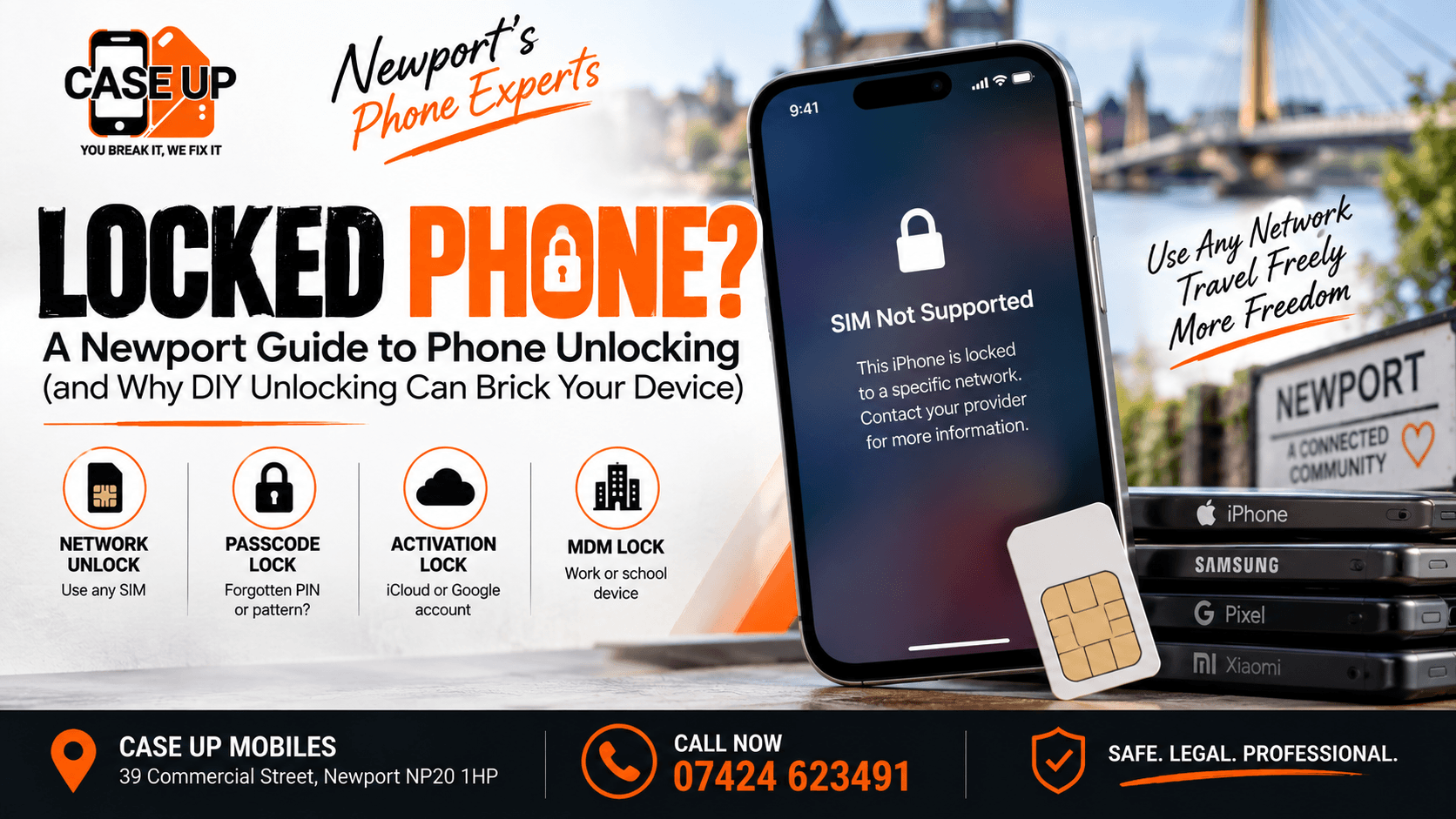
You bought a second-hand iPhone off a marketplace listing, popped in your new SIM, and got a "SIM Not Supported" message. Or you came back from a trip abroad, bought a local SIM to save on roaming, and the phone refused it. Or you were handed down a family member's Samsung after they upgraded, and it will only work with their old network.
Locked phones are a normal daily problem, and the internet is full of "quick unlock" tutorials that make it sound like a five-minute job. Some of those tutorials work. Many of them permanently damage the phone in ways that cost more to fix than a professional unlock would have cost in the first place.
This guide is the honest breakdown of what "locked" actually means, the several types of locks that can affect your phone, why DIY unlocking so often ends in a bricked device, and the safe path through a proper unlock. If you are staring at a locked phone in Newport, read this before you touch anything else.
"Locked" Is Not One Thing: The Four Types of Phone Locks
Half the confusion around phone unlocking comes from the fact that "locked" can mean four completely different things, and each one has a different fix. Get the wrong diagnosis and you can spend weeks trying the wrong solution.
Network Lock (SIM Lock)
The most common one. A phone was bought from a mobile carrier (EE, Vodafone, O2, Three, and others) as part of a contract or pay-monthly deal. To protect the deal, the carrier locks the phone so it will only work with SIM cards from that carrier's network.
Symptoms: put a new SIM in, get an "Invalid SIM," "SIM Not Supported," or "Network Unlock Required" message. The phone works fine with the original carrier's SIM.
This is the type of unlock most Newport customers ask us about. It is entirely legal to unlock a network-locked phone in the UK, and there is a proper way to do it.
Passcode Lock (Forgotten PIN or Pattern)
You (or a family member) set a screen passcode, PIN, or pattern, and now nobody can remember it. Or you inherited a phone from a relative and there is no way past the lock screen.
Symptoms: phone boots normally, but the lock screen refuses every guess.
This is not really a "network unlock" problem. It is a data access problem, and it usually ends in a factory reset because the passcode is meant to be unbreakable by design. Data on the phone is typically lost. If backups exist in iCloud or a Google account, most of it can be restored to a fresh phone.
Activation Lock (iCloud Lock or Google Factory Reset Protection)
On iPhone this is called Activation Lock, tied to the Find My iPhone service and the previous owner's Apple ID. On Android and Pixel it is called Factory Reset Protection, tied to the previous owner's Google account.
Symptoms: after a factory reset, the phone demands the previous owner's Apple ID (or Google account) to complete setup. Without those credentials, the phone will not proceed past the activation screen.
This is a security feature, not a network problem. It exists specifically to make stolen phones unusable. If you bought a second-hand phone and hit this screen, you need to contact the previous owner to remove the account remotely. Nobody, including us, can legitimately bypass this lock without the original account credentials. Any service offering to "bypass iCloud lock" is operating in a legally grey area and often selling nothing that actually works.
MDM or EMM Enterprise Lock
Corporate phones are often enrolled in a Mobile Device Management system (Jamf, Intune, MobileIron, and others). If the phone was ex-employee equipment sold on, and it was never properly de-enrolled, the phone will show a management profile that cannot be removed without the corporate admin.
Symptoms: phone works, but shows a "This phone is managed by [Company]" banner, and some settings are locked out.
The fix is to contact the original company IT department to have the device de-enrolled from their MDM. Nobody can remove an MDM profile without either the corporate admin's cooperation or, on iPhone, a hardware-level restore that Apple sometimes provides.
The Most Common Scenario: Network Unlocking
For most Newport customers, "my phone is locked" means the network (SIM) lock. So let us focus there.
Why do carriers lock phones? Simple business reasoning. When a carrier subsidises a handset as part of a contract, they need the customer to stay on the network long enough to recoup the subsidy through monthly line rental. Locking the phone to their network protects that revenue.
In the UK, once your contract is completed (or you have paid off the full handset value on a device plan), the phone can be legitimately unlocked. Most UK carriers now offer network unlocking free of charge on request, but the process varies from one carrier to the next and can take up to 30 days.
When speed matters, or when the carrier does not respond, or when the phone has been passed through several owners and you cannot easily contact the original carrier, an independent unlocking service is the practical route. Our phone unlocking service in Newport handles all major UK networks and international carriers for most iPhone, Samsung, Google Pixel, and other Android phones.
Is Phone Unlocking Legal in the UK?
Yes. Owning an unlocked phone is entirely legal in the UK, and it has been since 2018 when the Consumer Rights (Payment Surcharges) Regulations effectively required carriers to make unlocking accessible. What is not legal is:
- Unlocking a phone that has been reported as lost or stolen (checked against the CheckMEND database)
- Unlocking a phone that is still under an active contract you are not paying (the phone is technically the carrier's until the contract completes)
- Using unlocking services to conceal the identity of a stolen device
A reputable unlocking service will always check the phone's IMEI against the stolen phone database before proceeding. If the check flags the phone as blacklisted, no legitimate service will unlock it. If a service offers to unlock a blacklisted phone anyway, walk away.
How to Check If Your Phone Is Already Unlocked
Before you spend money on an unlock, verify the phone is actually locked. The three practical checks:
The SIM test: The cleanest check. Insert a SIM from a different network into the phone. If the phone connects to the new network within a few minutes, the phone is already unlocked. If you get an "Invalid SIM" or "Network Unlock Required" message, the phone is locked.
iPhone settings check: Settings > General > About > Carrier Lock (or Network Provider Lock). If it says "No SIM restrictions" the phone is unlocked. If it names a carrier, it is locked to that carrier.
Android settings check: The path varies by manufacturer. On Samsung Galaxy, Settings > About phone > Status information > SIM status often shows lock information. On Pixel, dial *#*#4636#*#* to access the diagnostic menu (though this varies by model and Android version).
If any of the three confirms the phone is locked, you have a legitimate unlocking need. If the phone is already unlocked and still refusing a new SIM, the problem is elsewhere (SIM tray fault, SIM damaged, cellular radio issue).
The DIY Unlocking Traps That Brick Devices
Search "how to unlock phone free" and you will find hundreds of guides. Most are variations on the same handful of methods, and every one of them has a specific way of going wrong.
IMEI Generator Websites (Almost All Scams)
Websites that claim to generate an unlock code from your IMEI number, for free, or for a small fee, using "advanced algorithms." Almost all are scams. Unlock codes are not calculated from the IMEI by anyone outside the carrier. Legitimate unlock services request the code from the carrier's official database. The scam sites either take your money and vanish, take your IMEI to sell to fraud rings, or supply a random code that does not work.
Danger: if the phone allows a limited number of incorrect unlock attempts (usually three to five), entering random codes uses up your attempts and can permanently hard-lock the phone.
"Free Unlock" Apps From Unofficial App Stores
Android apps distributed outside Google Play, promising to unlock any phone with a single tap. Almost universally malware. The app either installs a persistent background process that steals data (banking apps, saved passwords, photos), or it runs a script that attempts a bootloader unlock that damages the phone.
Danger: total data compromise, permanent bricking of the phone, or both.
Custom Firmware and Bootloader Unlocking
Some guides tell you to unlock the bootloader, flash a custom firmware, and thereby "remove the lock." This works on some Android phones in a technical sense, but it does not remove a legitimate network lock. It voids the manufacturer warranty, wipes all data on the phone, disables features that rely on the secure boot chain (banking apps, payment services, some streaming services), and if the firmware flash fails midway, leaves the phone as a permanent brick.
Danger: total warranty loss, likely bricking, banking apps stop working, resale value collapses.
Excessive Incorrect PIN Attempts
Some tutorials suggest guessing your way past the lock screen. Modern phones lock out after 10 incorrect attempts on iPhone, similar limits on Android. Once locked out, the phone must be factory reset, which wipes all data, and on iPhone triggers Activation Lock, which then needs the original Apple ID to unlock.
Danger: guaranteed data loss, potential permanent lock if Activation Lock kicks in without credentials.
Third-Party "Cheap" Unlocking Codes
Online marketplaces are full of very cheap "instant" unlock codes sold at a fraction of legitimate service prices. Some are legitimate leftover codes from bulk orders. Many are recycled codes that no longer work, or codes for a completely different model. When they fail, you have already used one or more of your unlock attempts on a genuine phone, and the seller has vanished.
Danger: burned unlock attempts, no working code, no refund path.
Bad Hard Reset Attempts
"Just factory reset it, that removes the lock." No, it does not. A factory reset removes your data. It does not remove a network lock. It does trigger Activation Lock on iPhone and Factory Reset Protection on Android, which then need the original owner's credentials to bypass. On a phone that was already locked to a carrier, all you have done is lose everything on it while still leaving the network lock in place.
Danger: complete data loss with no progress on the actual unlock.
Why Professional Unlocking Is Different
A legitimate professional unlocking service works with the carrier's official IMEI database rather than against it. In practice that means:
No firmware modification: Your phone's operating system stays exactly as it was. No custom ROMs, no bootloader tampering, no security features disabled. Banking apps, payment services, and warranty status all continue to work.
No data loss: Legitimate unlocking does not touch your storage. Photos, messages, apps, and settings remain intact throughout.
No exhausted unlock attempts: Because the unlock is processed through the carrier database rather than by entering trial codes on the phone, you never risk burning your available unlock attempts.
Stolen phone check first: Every legitimate service checks the IMEI against the CheckMEND stolen phone database before proceeding. If your phone is clean, you get the unlock. If it is flagged as stolen, no work is done and you get an honest explanation.
Manufacturer warranty preserved: Because nothing on the phone itself is modified, the manufacturer warranty on the hardware remains valid.
Guarantee if the unlock does not work: A reputable service refunds the fee if the unlock fails, which happens occasionally on unusual carrier locks or older models.
That combination is what makes the professional route worth paying for. The alternative, as the DIY section above sets out, is a mix of scams, malware, and permanent phone damage.
iPhone Unlocking Specifics
iPhone unlocking works differently from Android. There are no unlock codes to enter on the phone. Instead, the carrier updates a database at Apple, and once the update propagates, the phone reads its new "unlocked" status on the next network handshake.
Practical implications:
- No jailbreak is required or involved. Do not let anyone tell you an iPhone needs to be jailbroken to unlock. Jailbreaking is a separate thing entirely, voids the warranty, and creates its own problems.
- The unlock survives a factory reset, updates to iOS, and even a full DFU restore. Once whitelisted at Apple, the phone stays unlocked.
- Activation Lock is separate from network lock. An iPhone can be unlocked to any network but still Activation Locked to a previous owner's Apple ID. The two problems are unrelated.
For iPhone repair services more broadly, our full iPhone repair service page in Newport covers screens, batteries, ports, and everything else.
Samsung and Google Pixel Unlocking Specifics
Samsung and Pixel unlocking is code-based on most models. The service supplies a code, you dial a specific sequence to enter it, and the phone confirms the unlock. Some models require a temporary connection to a computer for the unlock to complete.
Practical implications:
- The unlock is permanent on the phone. No re-lock after software updates.
- Bootloader unlocking is a completely separate thing, related to installing custom software, and is not required for network unlocking.
- Some very old or region-specific carrier locks are not unlockable by any independent service, only by the original carrier. A good service tells you honestly if your phone falls into this category before taking payment.
Our Samsung Galaxy repair service in Newport and Google Pixel repair service in Newport cover the broader repair scope for those brands.
Second-Hand Phone Buyers: The Pitfalls
A large share of our unlock enquiries come from people who have just bought a second-hand phone, popped their SIM in, and discovered a lock. The lesson is always the same: check before you pay, not after.
Before buying a second-hand phone (marketplace, Gumtree, private ad):
Ask for the IMEI number: Dial *#06# on the phone to reveal it, or find it in Settings > About phone.
Check the IMEI against CheckMEND: Free or small-fee services online. This confirms the phone is not reported stolen.
Insert a SIM from your network during the meetup: Confirm the phone actually connects to your network before handing over money.
Confirm the previous owner has removed their Apple ID or Google account: On iPhone this means the phone should complete a factory reset in front of you and reach the "hello" welcome screen. Same for Android with Factory Reset Protection.
Get a receipt: A basic bill of sale with the seller's name, the phone's IMEI, and the date protects you if something later flags the phone.
If you have already bought a phone and are now dealing with a lock, our buy, sell, and part exchange service can often help, either by unlocking the phone if it is a straightforward network lock, or by taking the phone in part-exchange toward a replacement if it turns out to be Activation Locked without a route to the previous owner.
When You Should Walk Away
Not every locked phone can or should be unlocked. Signs to step back:
The phone flags as lost or stolen on CheckMEND: Any service that unlocks it anyway is helping to launder a stolen device. Stay legal.
Activation Lock without previous-owner credentials: No legitimate service can bypass this. Contacting the previous owner is the only route. If they refuse or are uncontactable, the phone is unusable and should be recycled or part-exchanged.
The phone is a payment plan device the seller has stopped paying: Some carriers can retroactively lock or blacklist a phone if the original buyer defaults. Second-hand buyers can be left with a phone that becomes unusable weeks after purchase.
The phone is an ex-corporate device with an active MDM profile: Only the original company IT can remove this.
Walking away from an unrecoverable phone is disappointing but far cheaper than pouring money into unlocking attempts that cannot succeed. Our free diagnostic gives you an honest answer before you spend anything.
The Case Up Mobiles Unlocking Process
When you bring a locked phone in, the process runs like this:
- IMEI check. We verify the phone against the stolen phone database and confirm the specific carrier lock.
- Model and carrier check. Some model or carrier combinations unlock quickly, some take longer, some are not unlockable independently. You get an honest answer up front.
- Fitted quote. You know the price and turnaround before any work begins. If the phone is not unlockable by us, you pay nothing.
- The unlock is processed through the correct database or code service for your carrier and model.
- Post-unlock test. We insert a SIM from a different network in the shop, confirm the unlock is complete, and hand the phone back.
- Money-back guarantee if the unlock does not complete successfully.
The full context of why we handle unlocks this way is set out on our why Newport locals choose Case Up Mobiles for repair page.
Realistic Costs and Turnaround
Unlocking prices vary by carrier and model, and any shop quoting a single flat price is either overcharging on the easy ones or losing money on the hard ones. Realistic ranges for Newport:
- Common iPhone unlocks: minutes to a few hours for most current models on UK carriers
- Samsung and Pixel network unlocks: minutes to 24 hours for most models
- Older or obscure carrier locks: 24 to 72 hours in some cases
- International carrier locks: varies widely, quoted case-by-case
Free IMEI check and fitted quote before any work. If we cannot unlock your specific model or carrier combination, we say so honestly and there is no charge.
If your phone has other problems on top of the lock, cracked screen, tired battery, or worn charging port, we can also handle those in the same visit. Water damage recovery is a separate specialism covered on our water damage repair service if the phone was affected before you tried to unlock it.
Frequently Asked Questions
How much does phone unlocking cost in Newport?
Price varies by carrier and model. Common iPhone and Samsung unlocks start from a low fixed fee. Older or unusual carrier combinations quoted individually after a free IMEI check. No fee if we cannot unlock your specific phone.
Will unlocking void my warranty?
Professional unlocking through the correct carrier database or code service does not void the manufacturer warranty because nothing on the phone itself is modified. DIY methods that involve bootloader unlocking or firmware flashing do void the warranty.
Can I unlock my phone by resetting it?
No. A factory reset removes your data but does not remove a network lock. Worse, it can trigger Activation Lock (iPhone) or Factory Reset Protection (Android), which then need the previous owner's account credentials to bypass.
Is unlocking illegal in the UK?
No, unlocking a phone you own is entirely legal. Unlocking a phone reported as lost or stolen, or a phone under an active contract that is not paid, is not.
How long does a professional unlock take?
Most common iPhone and Samsung unlocks complete within minutes to a few hours. Older models or unusual carriers can take up to 72 hours. You get an honest turnaround estimate before any work begins.
Can you unlock an iPhone if I do not know the Apple ID?
Not if the phone is Activation Locked. This is by design and cannot be legitimately bypassed by any independent service. The only route is contacting the original owner to have them remove the phone from their Apple ID remotely.
I entered too many wrong unlock codes. Is my phone bricked?
Depends on the model. Some phones enter a hard lock after too many attempts and can only be recovered by the manufacturer. Bring the phone in for a diagnostic, we will tell you honestly whether it can be recovered.
Book Your Phone Unlock in Newport
If your phone is locked and you want an honest, legitimate route through it, walk into Case Up Mobiles at 39 Commercial Street, Newport, NP20 1HP. Free IMEI check, honest quote, no fee if we cannot unlock your specific model.
Backed by a 4.7-star rating from over 300 Google reviews. iPhone, Samsung, Google Pixel, and most other Android phones supported.